1
2
3
4
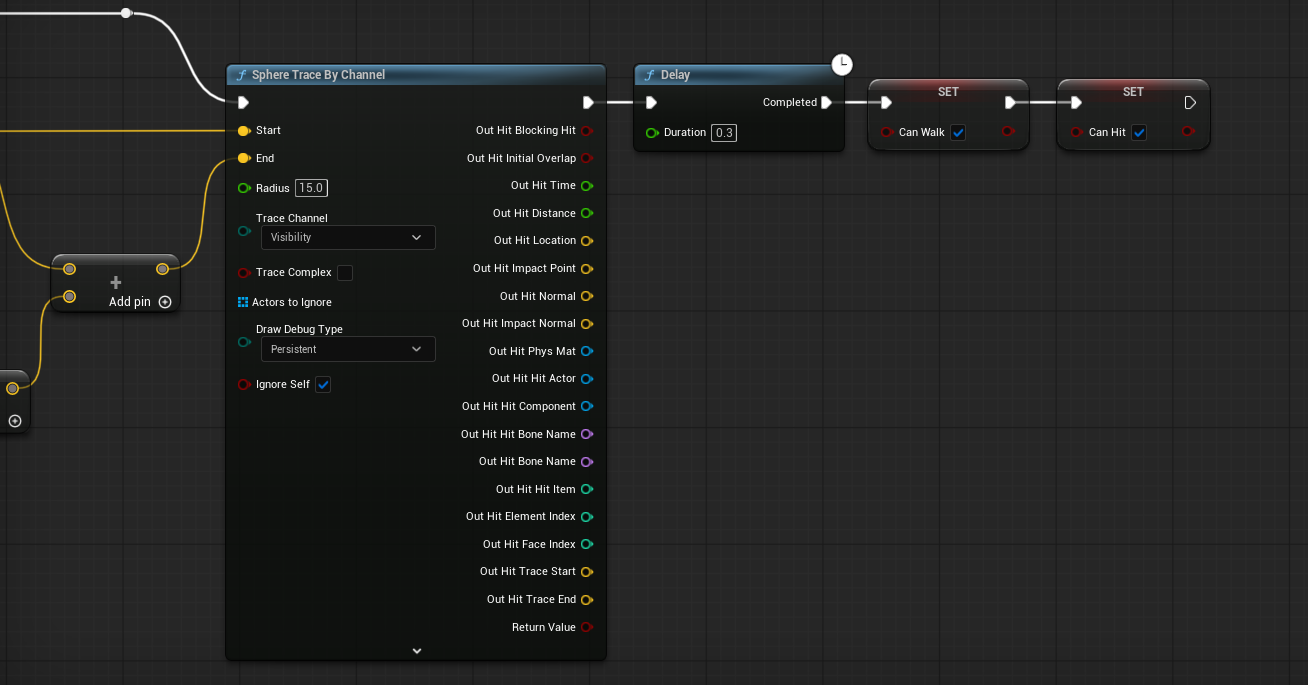
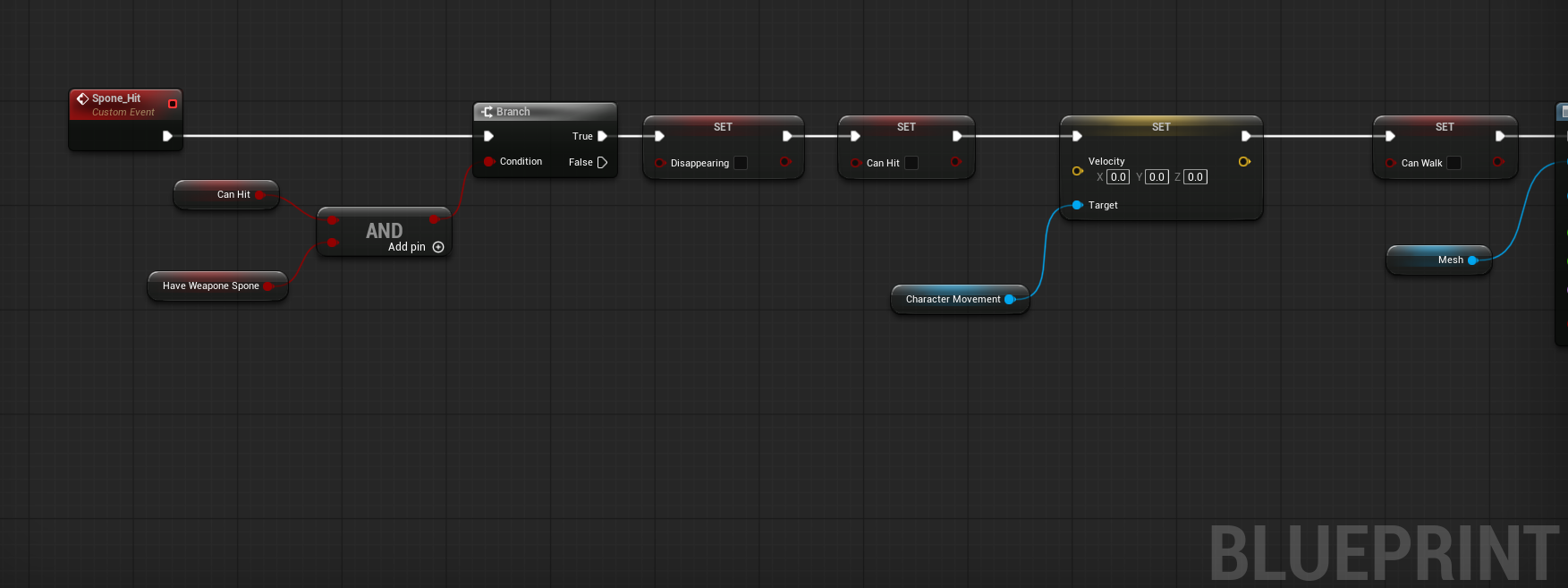
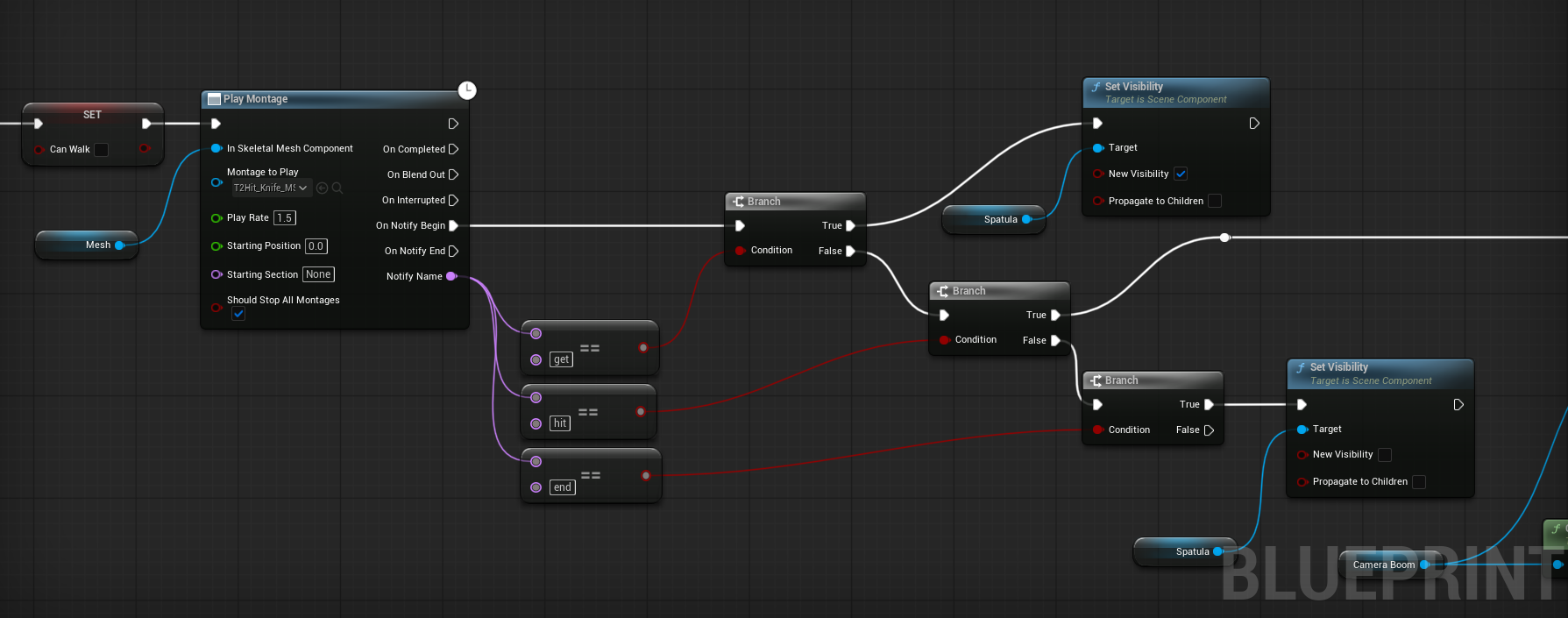
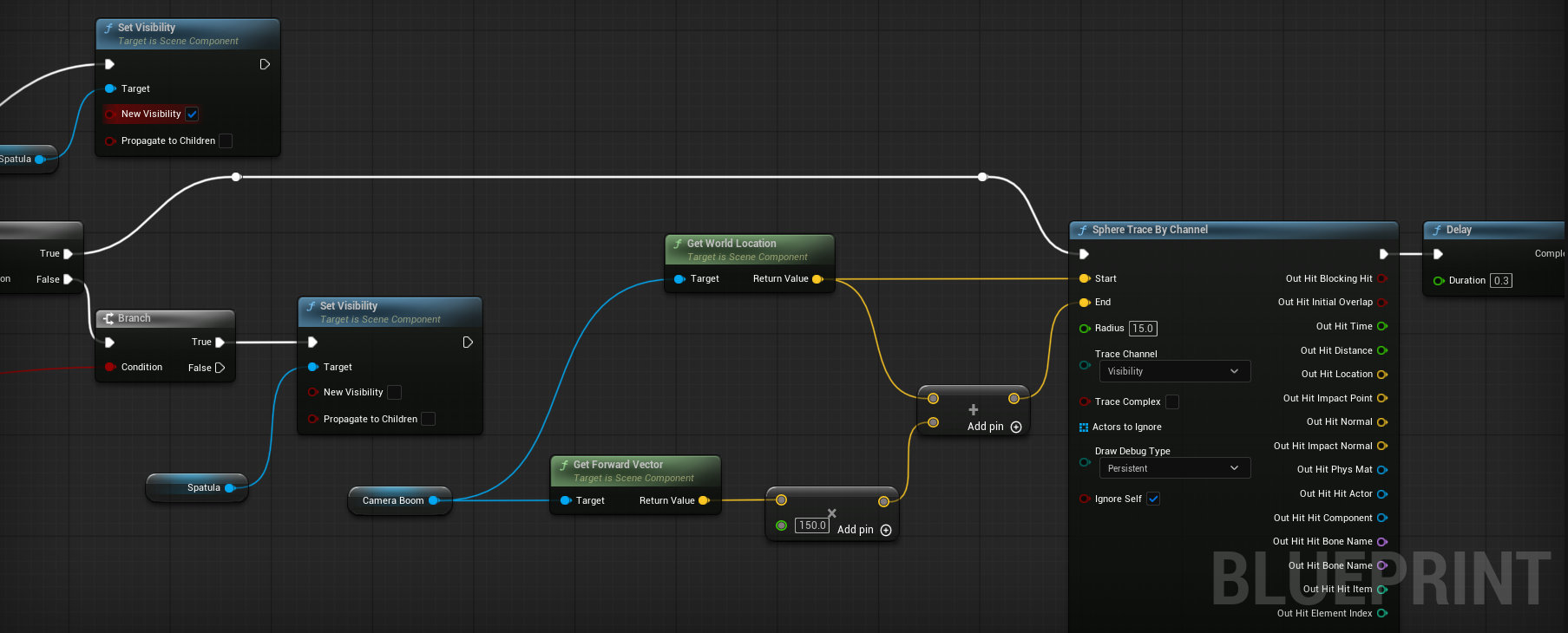
This system handles the player's basic melee attack logic, ensuring smooth execution, state management, and accurate hit detection.
System Breakdown :
- State Management & Validation (1)
When an attack is triggered, the system first verifies two critical states: it confirms the player has the weapon (knife) in their inventory, and it checks if an attack is already in progress. This prevents attack spamming. Once validated, the system restricts movement by setting velocity to zero and disabling walking, ensuring the player is grounded during the swing. - Animation Integration & Notifies (2)
The visual feedback is driven by an Animation Montage. I utilize three Animation Notifies to tightly couple the visual animation with gameplay logic:
-get: Triggered at the start to make the weapon mesh visible.
-hit: The precise moment of the strike, routing logic to the hit detection branch.
-end: Triggered at the end of the animation to hide the weapon mesh. - Hit Detection Sphere Trace (3)
Triggered by thehitnotify, the system calculates the attack trajectory. It retrieves theCamera Boomworld location, calculates theForward Vectormultiplied by a range offset, and executes aSphere Trace By Channel. This creates a volume that detects overlaps, ensuring accurate and forgiving hit registration. - Delay and State Reset (4)
After a short delay post-trace (0.3s), the system resets the player's state, re-enabling movement and allowing them to initiate subsequent attacks.
Gameplay Result
1
2
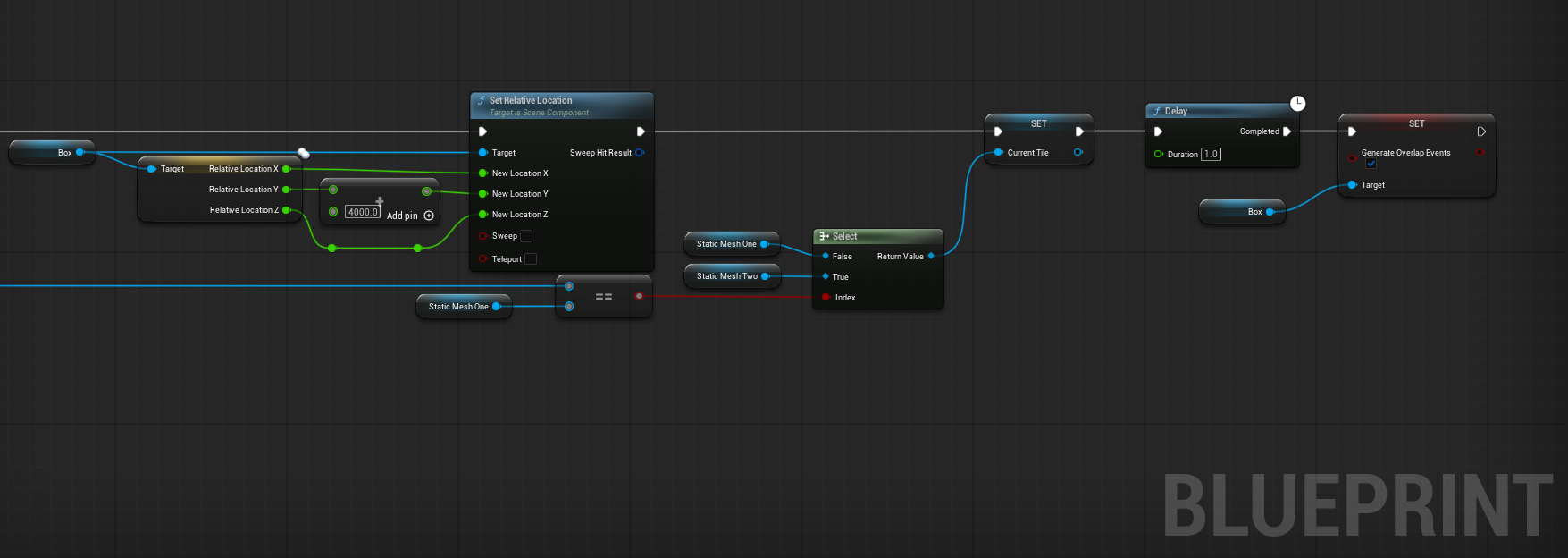
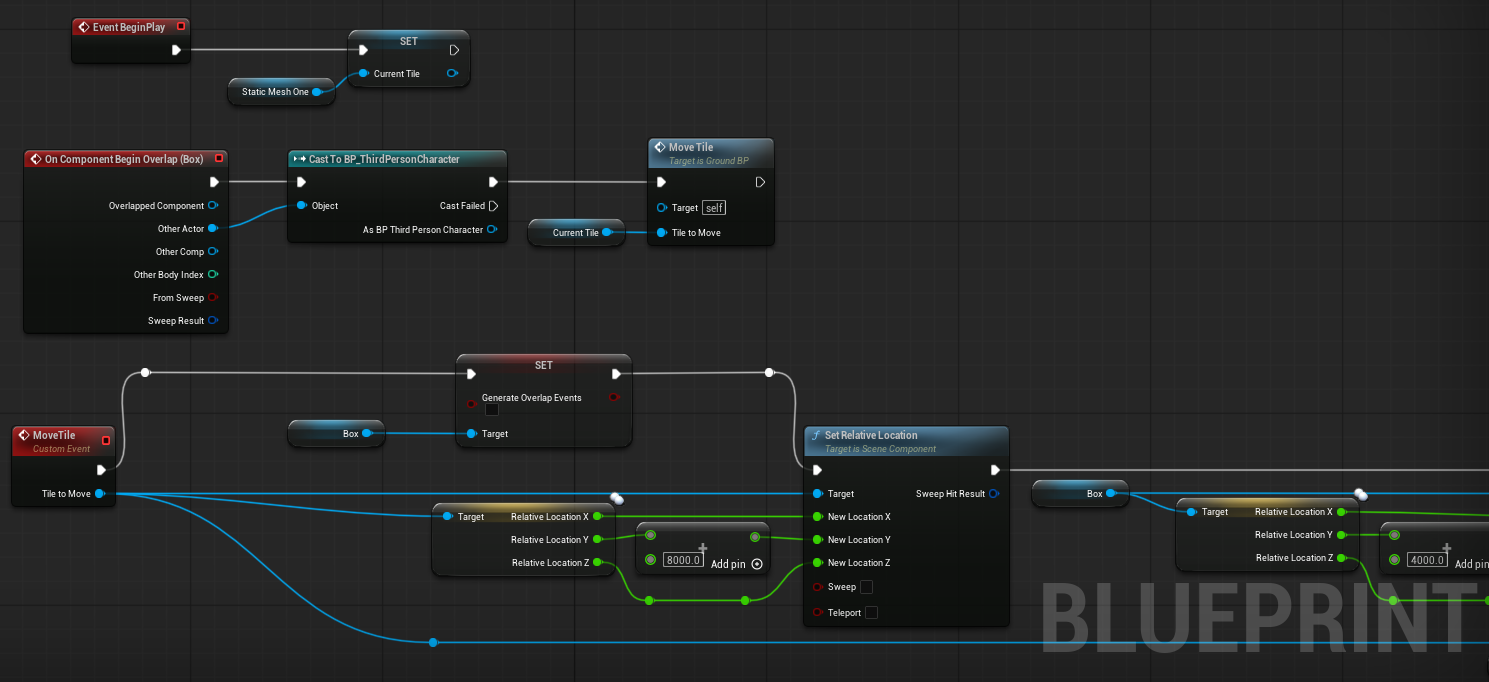
A highly memory-optimized environment generator for Endless Runners. Instead of constantly spawning and destroying actors, this system intelligently recycles only two floor tiles to create an infinite path.
System Breakdown :
- Initialization & Overlap Protection (1)
OnBeginPlay, the first tile is cached into aCurrent Tilevariable. When the player steps into the Box Collision, an event is triggered. To prevent execution glitches (multiple fires), the Box Collision'sGenerate Overlap Eventsis immediately disabled. - Repositioning (1 & 2)
The system takes theCurrent Tileand offsets its location forward to snap seamlessly behind the second tile. Concurrently, the trigger Box Collision is teleported to the beginning of the newly positioned floor. - State Update & Reset (2)
ASelectnode checks which tile was just moved. If it was Tile 1, Tile 2 becomes the newCurrent Tile(and vice versa) for the next iteration. Finally, after a brief safetyDelay, the Box Collision's overlap capability is reactivated to keep the loop going.